Members of the Wayne State University faculty may find assigned courses in Academica.
Step 1
Go to Academica a.wayne.edu at and log in with your AccessID and password.
Step 2
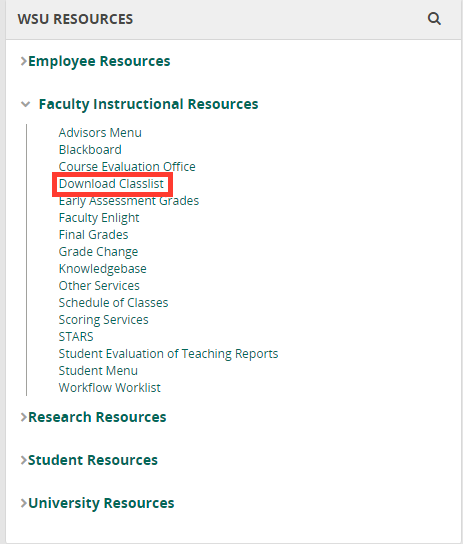
In the WSU Resources box on the left-hand side, choose Faculty Instructional Resources.
Step 3
Click Download Classlist.
Step 4
Choose how to download your list. You may now see all classes assigned to you.